Generate & Validate Playwright Selectors Instantly
The ultimate Chrome extension for QA Engineers, developers, and automation specialists. Capture robust CSS, XPath, and Playwright locators with a single click.
Powerful Features
AI-Powered Locators
Generates high-reliability element locators that prioritize resilient attributes like IDs, accessibility roles, and stable classes.
Instant Validation
Validate your selectors in real-time directly on the page layout. Check matching element count and visibility status instantly.
Copy & Run
Copy raw selectors or complete Playwright syntax blocks instantly to your clipboard, formatted precisely for your scripts.
Install Extension
Get started instantly with the official Chrome Extension or read the detailed setup guide.
Add to Chrome (Recommended)
Install Selector Studio directly from the official Chrome Web Store for automatic updates and quick setup.
Add to Chrome (Free)Detailed User Manual
Step-by-step instructions on installation, keyboard shortcuts, and troubleshooting.
Open User ManualCypress & Selenium Support
Native selector generators for Cypress (cy.get, cy.contains) and Selenium WebDriver (By.cssSelector, By.xpath, By.id) are now fully released and available in version 1.2.0 / 1.2.1!
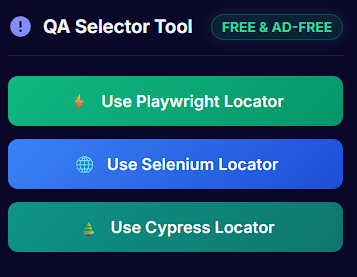
- ✓ Interactive hover outline for Cypress/Selenium syntax
- ✓ Auto-prioritization of data-testid & CSS/XPath
- ✓ One-click copy features directly from tooltip & overlay
Unique & Matching Locator Identification
We are adding real-time locator validation against the active page context, showing match count and uniqueness directly inside the Smart Selector hover tooltip and alternative selector panels!
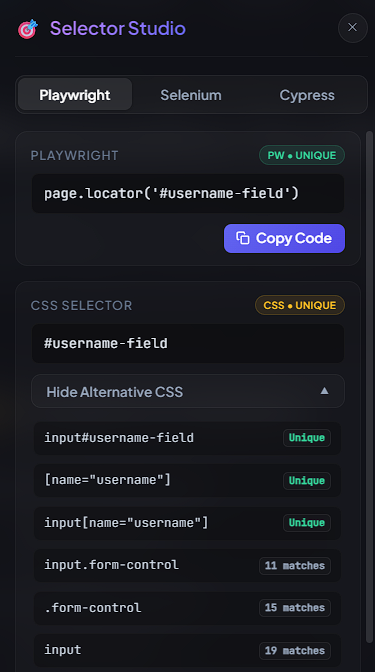
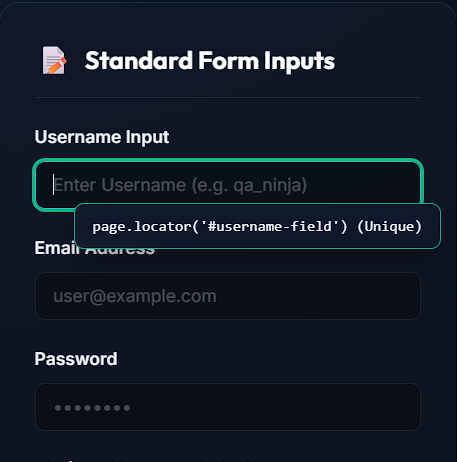
- ✓ Real-time match verification for all framework strategies
- ✓ Interactive hover tooltip with element uniqueness indicators
- ✓ Alternative selector lists with exact matching DOM counts
SUPPORT THE DEVELOPER
Selector Studio is 100% free & ad-free! Support active development and bug fixes.
Thank you for your support for the developer to make it better!
- 100% Free - All features unlocked for everyone
- Ad-Free experience forever
- Scan UPI QR code above to pay any custom amount
- Or contribute securely online using Cards or Netbanking